



1win app on every screen: Android APK, iOS shortcut and Windows client
Content
- What the 1win app packs into a single login
- 1win APK for Android: size, requirements and safety
- 1win download routes for iOS and Windows
- Same account, same balance: how 1win handles login
- Cashier rules inside the 1win app
- How the 1win app stays up to date
- Fixes when a 1win install stalls
- FAQ: 1win app essentials
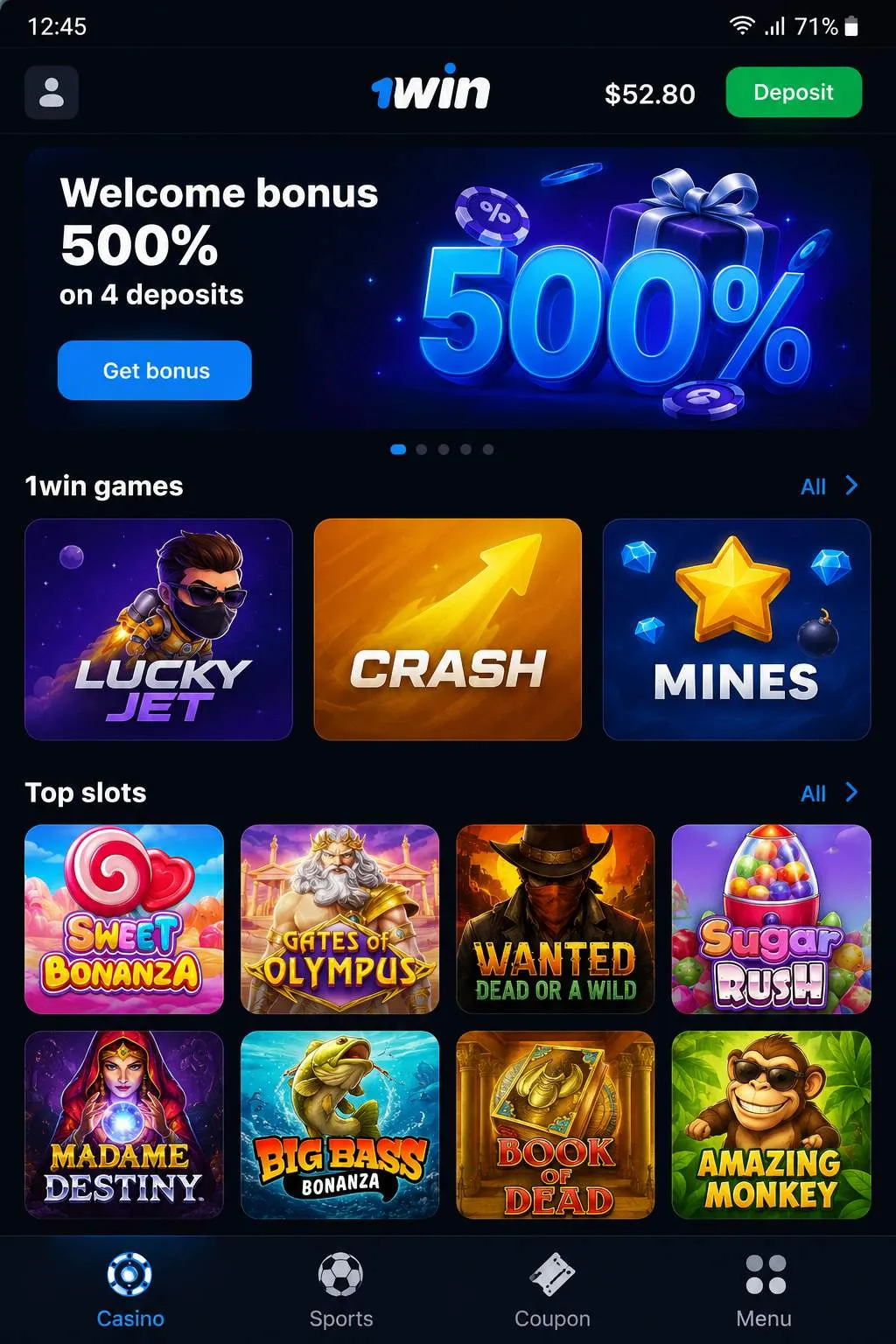
What the 1win app packs into a single login
One login opens every product line at once. The 1win app mirrors the full site catalog: slots from 70+ providers, 600+ live tables, a sportsbook covering 1,000+ events daily, crash titles such as Lucky Jet and Aviator, and a cashier that accepts deposits from $5.
| Section | Contents | Quick note |
| 🎰 Slots | Pragmatic Play, Hacksaw Gaming, NetEnt + 70 more | RTP 94–97%, buy-bonus filters |
| ⚡ Live casino | 600+ tables, Evolution and Pragmatic Play Live | blackjack from $0.10 |
| ⚽ Sportsbook | 40+ disciplines, 1,000+ events daily | odds refresh every 20–30 sec |
| 🚀 1w Games | Lucky Jet, Rocket X, Plinko, Mines | provably fair, rounds under 60 sec |
| 💳 Cashier | deposits from $5, payouts from $10 | USDT clears in under 5 min |
Esports gets equal billing. CS2, Dota 2 and Valorant lines cover match winners and single maps, and the 1win bet app side merges pre-match with live betting in one slip – cash-out stays active on most markets, with stakes starting at $0.10.
The live floor deserves its own note. Game shows run around the clock – Crazy Time, Monopoly Live, Mega Ball – next to 200+ roulette variations and Speed blackjack, with limits scaling from $0.10 tables up to VIP rooms from $50.
Promotions carry over untouched. The welcome package spreads 500% across four deposits, weekly cashback returns up to 30% of net slot losses every Monday, and a deposit of $15 or more unlocks 70 free spins valid for 48 hours. Wagering sits at 40×, with slots contributing 100%.
1win APK for Android: size, requirements and safety
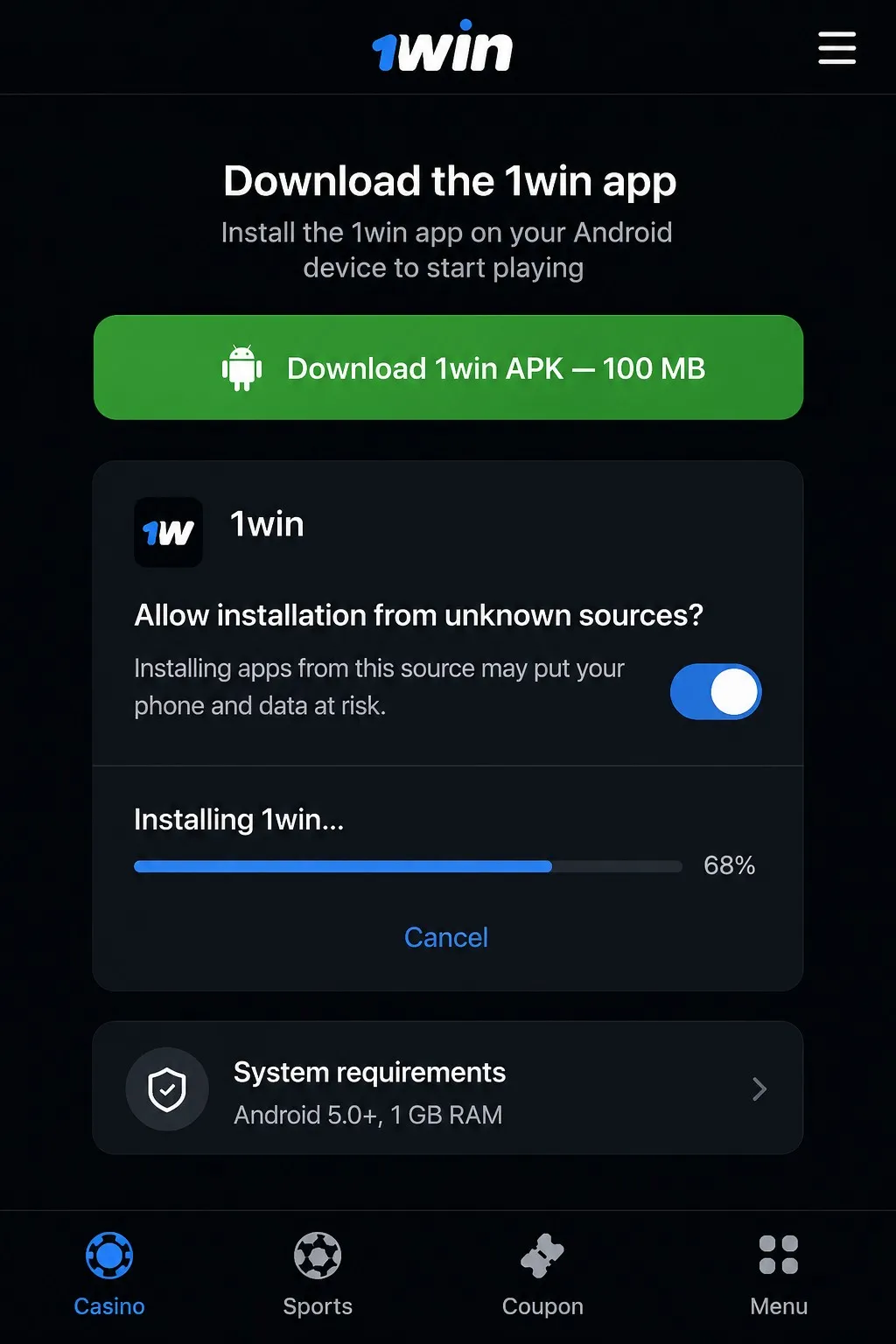
Google Play rejects real-money gambling software, which is why the 1win APK ships straight from the official mobile page. The file weighs about 100 MB and asks for Android 5.0 or newer, 1 GB of RAM and three permissions: internet, storage, push notifications.
Installation stays short. In our testing, the full cycle – download, permission toggle, first launch – took under two minutes on a Samsung Galaxy and a mid-range Xiaomi, and OnePlus and Realme hardware behaved the same way.
- Open the operator’s mobile page in any Android browser and tap the APK button.
- Allow “Install from unknown sources” when the system asks (the toggle hides in security settings).
- Launch the saved file and confirm the installation.
- Sign in with the credentials already used on the website.
- Flip the unknown-sources switch back off for stricter security.
A finished 1win APK Android setup credits 200 bonus points to the account – a small reward the browser version never pays. The trade-off is real, though: with no store listing there is no automatic patching, so neglected versions eventually stop opening.
Security matches the desktop site. Traffic runs through SSL encryption, and the same Curaçao license that has covered the website since 2016 applies inside the program – the mobile build changes nothing about the legal setup.
1win download routes for iOS and Windows
Only Android produces an actual installation file; every other 1win download takes a different shape. iPhone owners open the site in Safari, tap “Add to Home Screen” and get a progressive web app that refreshes itself. Windows users install a desktop client instead.
| Platform | Format | Needs |
| 📱 Android | APK, ~100 MB | Android 5.0+, 1 GB RAM |
| 🍎 iOS | PWA via Safari | Add to Home Screen, auto-updates |
| 💻 Windows | Desktop client | full parity with the site |
The Windows client keeps full feature parity with the site, from the 600+ live tables to the cashier and 24/7 support chat (replies land in under three minutes). And nothing forces an install at all: any browser runs the complete catalog, so the client stays a convenience, not a requirement.
No route cancels another. The 1win app on a phone, the Safari shortcut on an iPad and the desktop build read one server-side profile, so a slip opened on Android can be cashed out from Windows minutes later.
Same account, same balance: how 1win handles login
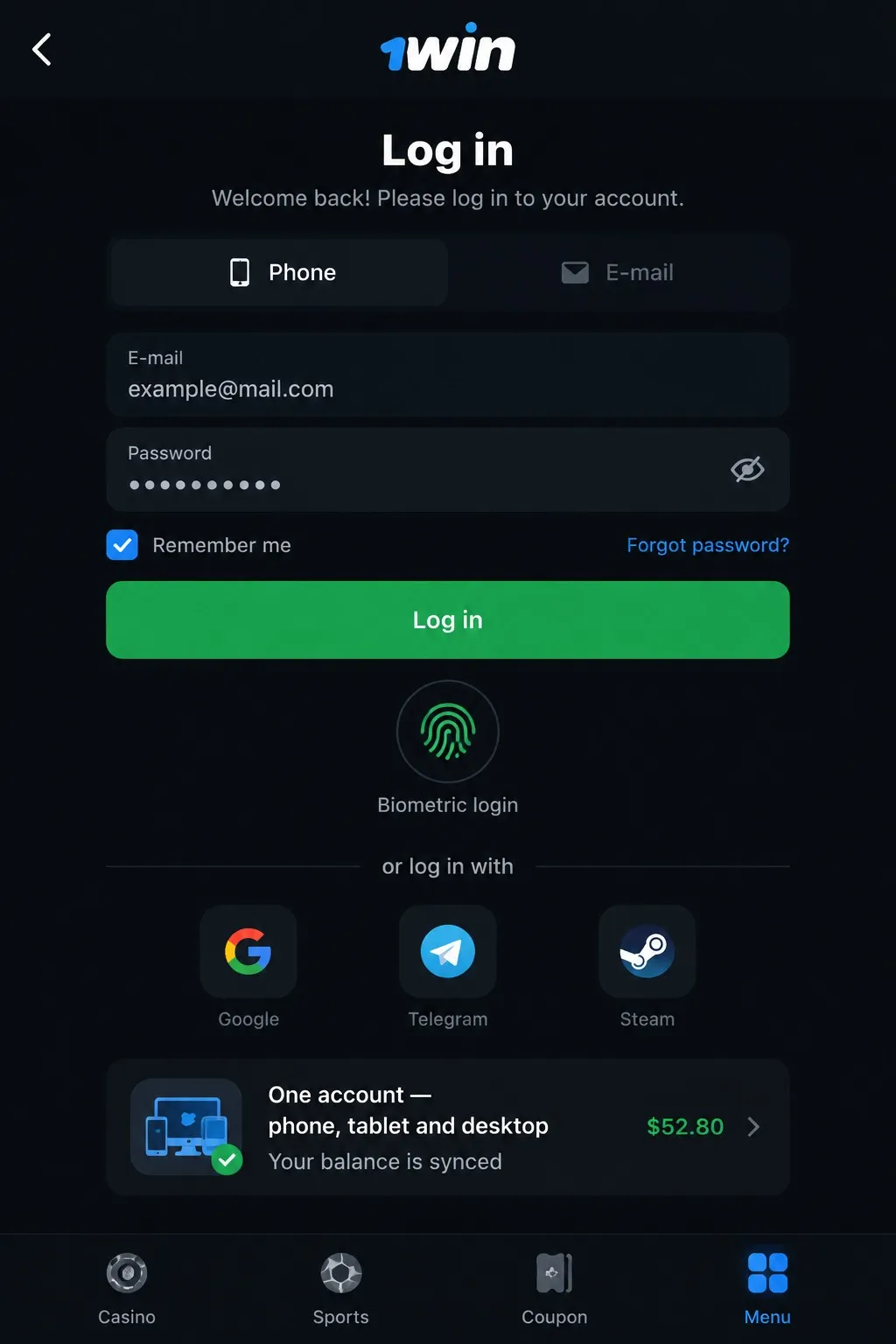
There is no separate registration inside the applications. The 1 win app takes the same email-or-phone plus password pair as the website, and social login through Google, Telegram or Steam works in one tap once the accounts are linked.
Password recovery behaves differently by channel. SMS codes land almost instantly, while based on our experience the email route needs 1–2 minutes – worth knowing before a live line moves. Two-factor authentication works on every platform.
In practice, a first session runs like this: registration by email takes under two minutes, the currency locks to USD at signup, a $20 USDT deposit lands in under five minutes, and the same balance shows on phone and desktop at once. Changing currency later requires support, so pick carefully.
A 1win bet app download on a second device changes nothing server-side. Balance, bonus progress and bet history stay in sync because the data lives on the operator’s servers rather than in local storage; deleting the program never touches the account.
Cashier rules inside the 1win app
Deposits start at $5 and withdrawals at $10, exactly as in the browser. Crypto is the speed king: USDT over TRC20 clears in under five minutes, BTC and ETH take 5–20 minutes, while Visa and Mastercard withdrawals can stretch to three days.
One AML rule surprises newcomers: money leaves by the same method that funded the last deposit. KYC with a government ID and proof of address comes before the first payout (demo play needs neither), and minimum bets start at $0.10 in decimal odds.
The bonus balance lives apart from cash, and the whole package can be declined by players who prefer clean withdrawals. Poker freerolls cost nothing to enter and pay prize pools up to $1,000, while seasonal tournaments run prize funds from $100,000.
Support stays reachable from the cashier screen around the clock, in 35+ languages. Live chat answers faster than email – a useful detail when a payout stalls at the confirmation step.
How the 1win app stays up to date
Android updates arrive as a push prompt inside the program, and tapping it pulls the new build. If the prompt never shows, a manual 1win app download from the official page overwrites the old version without wiping saved logins.
In early 2026, 1win introduced biometric login – fingerprint and Face ID – on Android and cut loading times on mid-range devices, according to the release notes.
Version drift, not hardware, sits behind most crash complaints.
iOS players skip the whole routine, since the Safari web app refreshes itself, and the Windows client checks for patches at launch. Push notifications flag new Android builds early; switching them off means checking the version screen by hand every few weeks.
Update sizes match the original download. A new APK replaces the old package outright rather than patching it, so budget roughly 100 MB of traffic each time – a real consideration on a metered mobile plan.
Fixes when a 1win install stalls
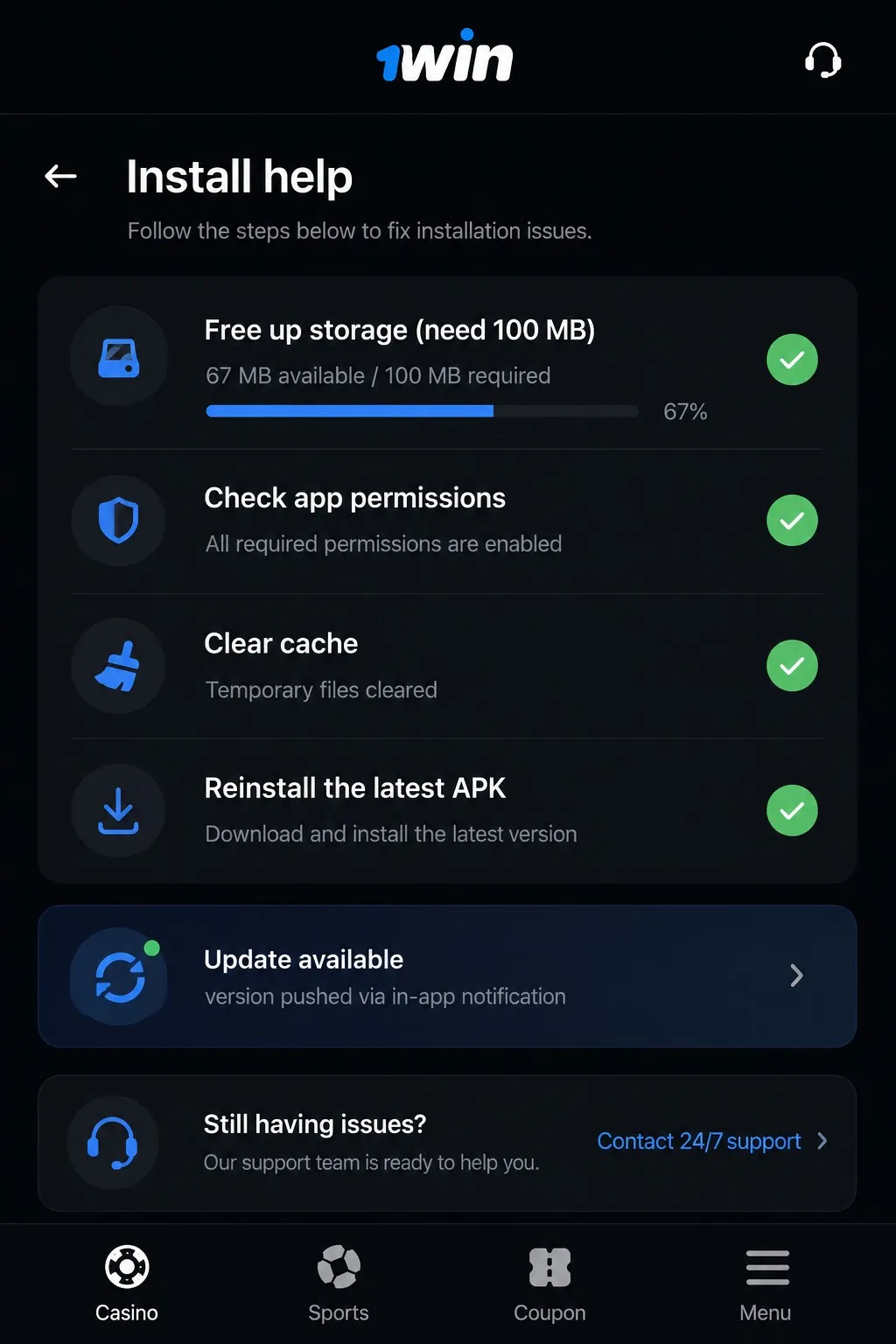
Two repeat offenders sit behind most failed setups – our analysis has shown that the unknown-sources switch left off and hardware below the Android 5.0 / 1 GB RAM floor cover the bulk of complaints. Both checks take seconds.
- Free up storage: the ~100 MB package needs extra unpacking room.
- Re-enable installs from unknown sources for the browser that saved the file.
- Reboot the phone after a failed attempt before relaunching the installer.
- Confirm the Android version: anything below 5.0 will not run the software.
- Redownload over Wi-Fi; a dropped mobile connection corrupts the archive.
A corrupted 1 win APK usually means the transfer broke midway – delete the file and pull a fresh copy rather than reinstalling the damaged one. If the main site is unreachable, mirror addresses from the operator’s Telegram channel restore access with the profile intact.
The 1win app carries the same money rules as the site: withdrawals above $1,000 can trigger a repeat identity check (worth checking before a big cash-out). Demo mode, on the other hand, works with no verification at all.
 download apk